
Kindle Unlimitedを利用し始めてみました。本屋に行かなくて済むので便利ですね。
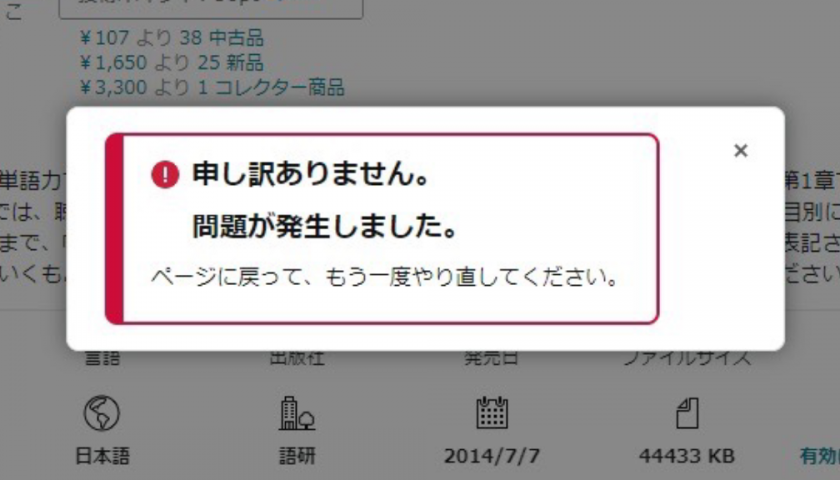
しかし、使い始めて早々「申し訳ありません。問題が発生しました。」とのエラーが。

「今すぐ読む」をクリックしてもエラーのポップアップが表示されるのみで、ライブラリに本が登録されず読めないという問題です。
何とか解決方法を見つけられたので、こちらで紹介します。
解決方法
1.画面左にある本のサムネイル画像をクリック

2.「ライブラリに追加」をクリック

3.「〇〇様、ありがとうございます!」と表示される

4.再度本のサムネイルを開き、「今すぐ読む」をクリック
ライブラリから開くこともできます。
事前にライブラリを開いておき、リロードする方が楽です。

5.本が読める状態になる

と、こんな感じです。
このエラーは時間をおくと解決するとの情報もありますが、なかなか直らないときに使えるワザかと思います。
Alright, spinning the reels at slotwingacor77.com. Wish me luck, guys! Hopefully, this is the one that hits the jackpot. Good vibes only. slotwingacor77
Giving spinbet99vn.com a shot. Heard some good things, hoping they’ve got some hot games and decent payouts. See ya on the other side. spinbet99
Spin PH, you know how to keep things exciting! I was a bit skeptical at first, but the platform’s smooth and loads of fun. Definitely worth checking out if you’re looking for a new go-to. Try it for yourself spin ph
d0ry2j